The live production switcher for Mac.
One volunteer, one Mac, the whole service or meeting.
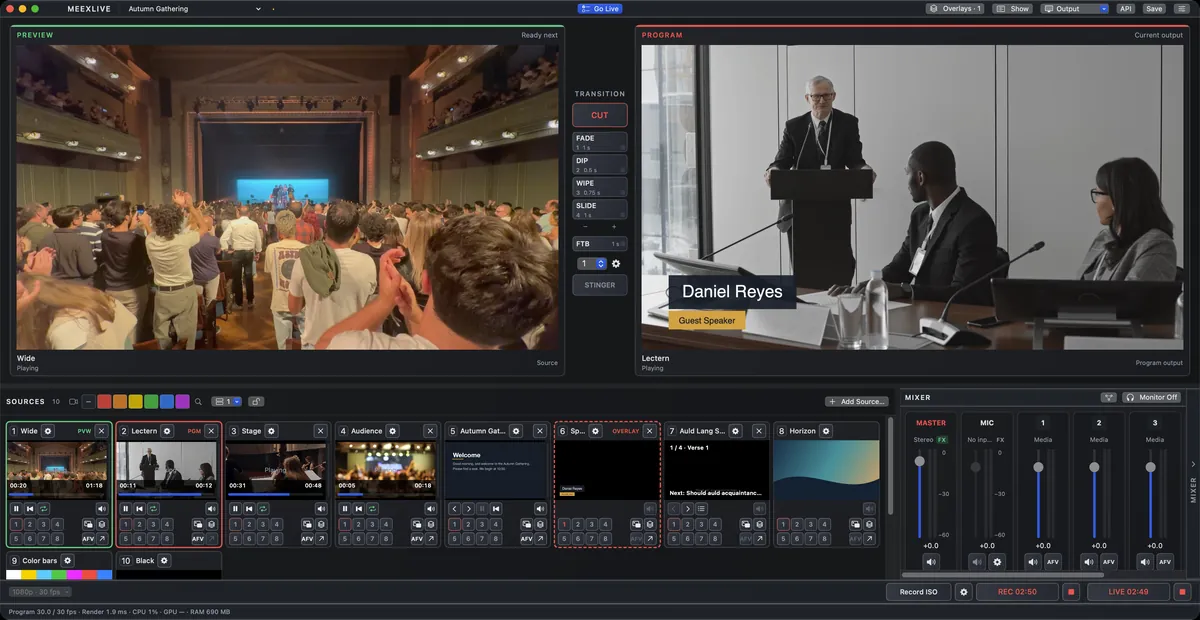
MeexLive is a live production switcher built for the Mac. Switch cameras, slides, screens and web pages between Preview and Program, then record and stream the result, all from one app.
Tested in hour-long runs with eight camera files and a live stream running at once.
Join the ListWeekly worship on one Mac
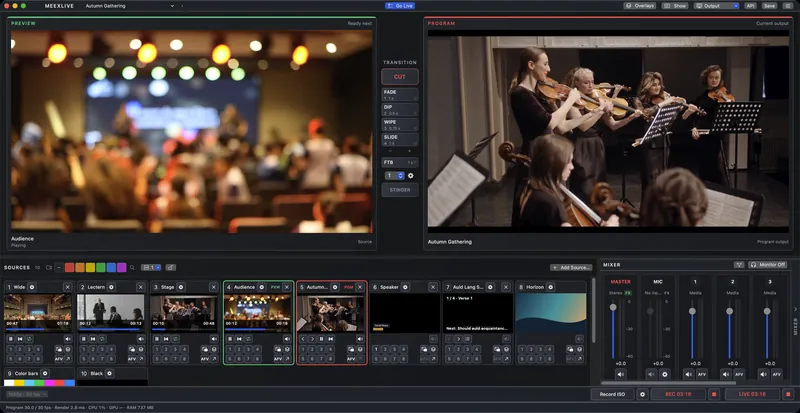
Slides and cameras, one app
Your slides play with their videos and sound, in the same app as your cameras. Up to eight cameras, switched between Preview and Program.
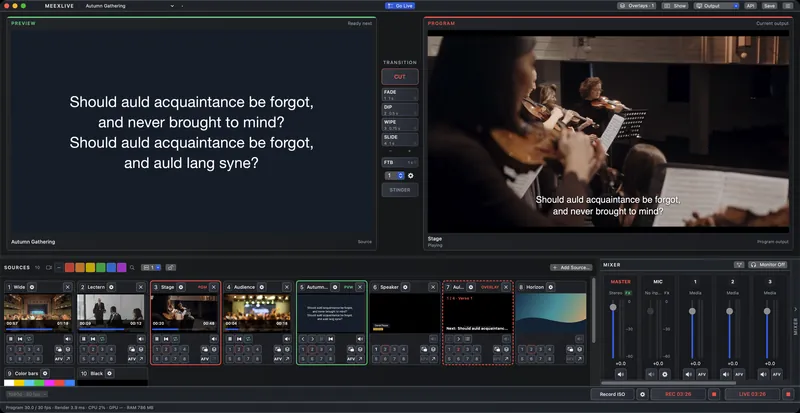
Words for every song
Put the lyrics on the room screen, or over a camera for the stream, one verse at a time.
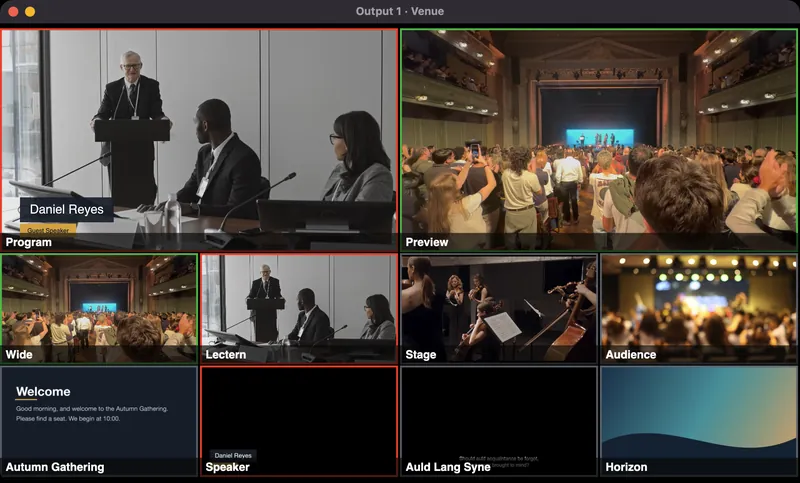
Every source on one screen
Program, Preview and eight sources in their own window, on any display, so you see what’s next before you cut.
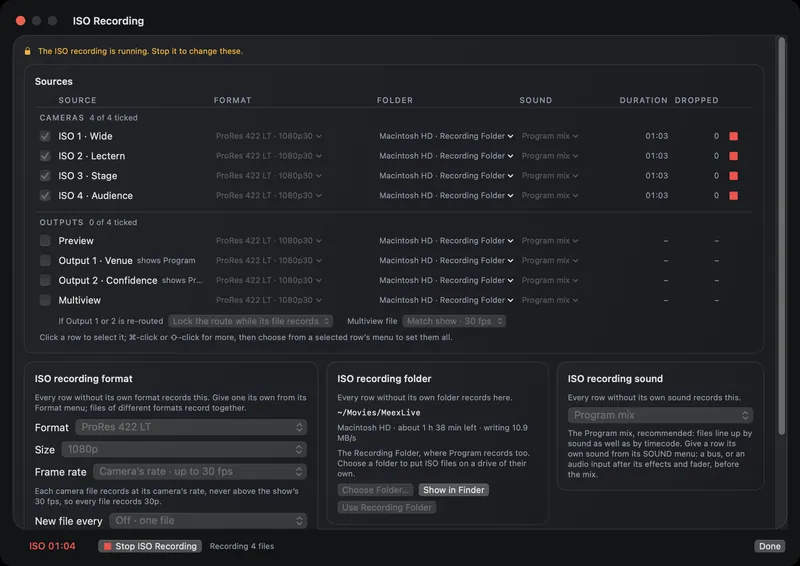
Stream and record at once
The live stream and the recording run at the same time, each camera to its own file.
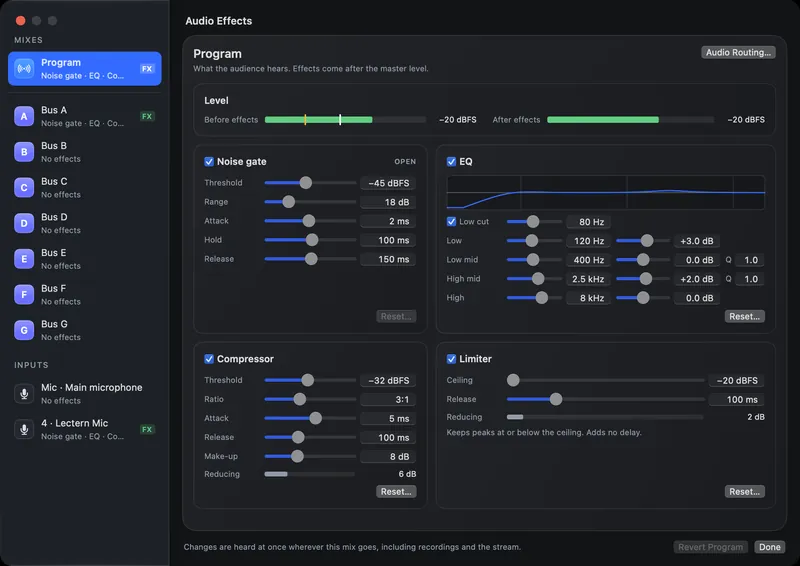
Clean sound for the room and the stream
A noise gate, EQ, compressor and limiter on the Program mix and on each microphone.
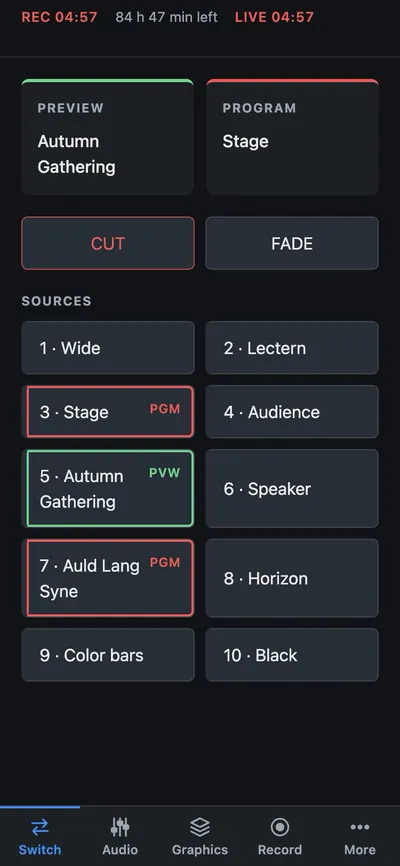
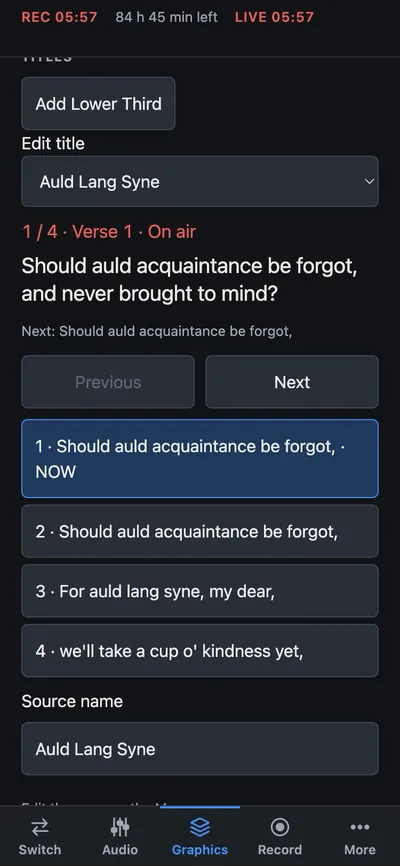
Run it from anywhere in the room
A phone or tablet remote lets the volunteer cut cameras and step through lyrics from anywhere in the room, on your own network.
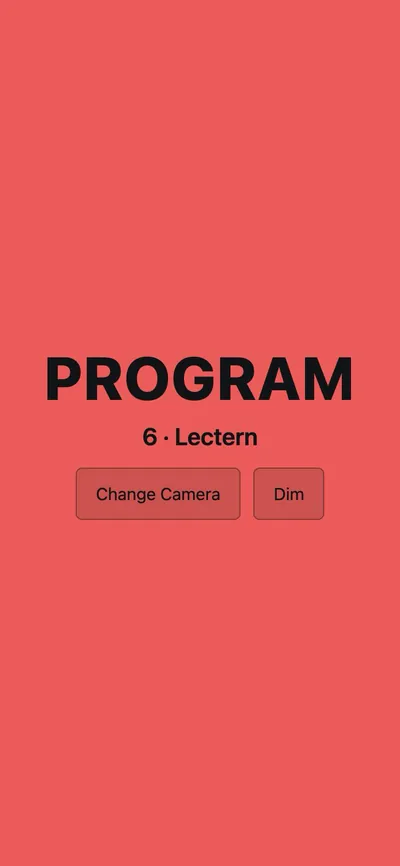
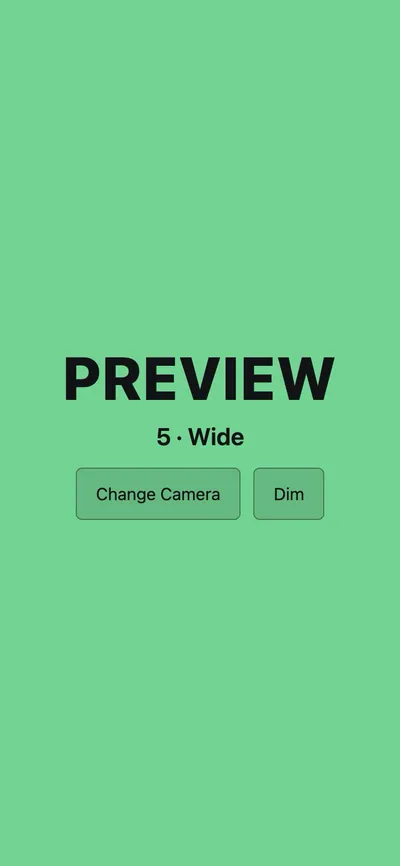
A tally light for every camera
Each camera operator opens a page on their phone. It turns red when their camera is on Program and green when it’s next.
What it does
- Sources
- Up to 8 camerasUSB cameras and HDMI capture devices
- Slides
- PowerPoint (PPTX)With their embedded video and audio
- Switching
- Preview and ProgramCut, fade, wipes, stingers, fade to black
- Recording
- H.264, HEVC, ProResProgram plus each camera to its own file
- Streaming
- RTMP and RTMPSYouTube, Facebook and similar services
- Control
- Phone and tablet remoteOn your own network, plus a documented API
- Requires
- Apple Silicon MacM1 or later, macOS 14 or newer
Not yet
Intel Macs or Windows. Keynote files (export to PowerPoint first). Network (NDI) cameras. Remote guests. Instant replay.
A note from me
I’m Cyan, and I’m building MeexLive on my own, as Switches and Switches. Mac teams today choose between free tools, a subscription app, a Windows PC or a hardware switcher. I want a switcher that feels at home on the Mac. A small group of congregations from the list will try it first.
Cyan
Questions
When can I get it?
Not yet. MeexLive is still in development and there’s no release date. A small group of congregations will try it first. Join the list and I’ll email when that changes.
What will it cost?
There’s no price yet. It will be a one-time purchase, not a subscription. People on the list will hear about the launch price first.
Which Macs will it run on?
A Mac with Apple Silicon (M1 or later) and macOS 14 or newer. 16 GB of memory is comfortable. Intel Macs aren’t supported.
Does it need PowerPoint installed?
No. MeexLive plays PowerPoint (PPTX) files by itself, with their embedded video and audio. Nothing else needs to be installed. The fonts your slides use do need to be installed on the Mac that runs MeexLive.
Keynote files can’t be opened yet. In Keynote, choose File > Export To > PowerPoint, then add that file.
Will it work with our cameras?
It takes up to eight cameras: USB cameras and HDMI capture devices. Network cameras (NDI) aren’t supported yet.
How do I get a chance to test it?
The first test is a small group of congregations, picked from the list. Schools and AV teams are welcome to join the list too; I’ll write when it opens to more people.
Who makes MeexLive?
I do. I’m Cyan, and Switches and Switches is my one-person company. Questions go to support@meexlive.com.
Join the List
MeexLive is in development and not available yet. A small group of congregations will try it first.
I’ll email when there’s news or a chance to test it. That will be rarely.